The age of a Formlabs resin cartridge is read from its lot number, then compared with the recommended lifetime for that resin. The listed lifetime works as a reference point rather than a hard expiry date. Resin can sometimes print past it, so the printed date alone does not settle whether a cartridge is still usable. The steps below explain how to decode the lot number and how to interpret the result.
How long does 3D printer resin last?
Reading the lot number on Formlabs cartridges
Formlabs cartridges carry a lot number on the bottom, and it follows one of two formats. Check which format your cartridge uses before you read the date.
| Format | Pattern | What it gives you |
|---|---|---|
| YYYYMMDD | Eight digits: year, month, day | A full production date |
| YYYY-MM | Year and month separated by a hyphen | A production month |
Read the year and month first, then compare them with the recommended lifetime for that specific resin. The lot number only tells you when the resin was made, so the comparison is what turns it into an age.
Listed lifetime versus actual usable life
The listed lifetime is the figure you compare the lot date against. Use the value listed for your resin’s product.
A cartridge within its listed lifetime is inside the manufacturer’s recommendation. A cartridge past that date can still be usable, but it no longer falls within the recommended window.
Printing past the listed lifetime
Resin can sometimes print past its listed lifetime, depending on handling, use and storage. The date therefore tells you where a cartridge stands, while the way it has been handled determines what happens next.
Treat any cartridge beyond its listed lifetime as a case to check individually, not as automatically unusable or automatically fine.

Signals that may point to bad resin
Resin is one suspect among several when prints fail, and age is the easiest one to overlook. Photoreactivity is the resin’s ability to harden when exposed to the printer’s light. According to Formlabs (2024), near the end of its recommended lifetime a resin may lose photoreactivity, and prints may fail as a result. The age on the label is a guide rather than a pass or fail test.
Age and storage as signals
Start by comparing the resin’s age with its recommended lifetime. Storage affects how long the resin stays usable.
| Signal | What to check | Why it matters |
|---|---|---|
| Age | Compare with the recommended lifetime | Photoreactivity may drop near the end of that lifetime |
| Brittle parts | Parts that break or crumble under stress | Can indicate expired or badly stored resin |
Print results as a signal
Failed prints are the clearest sign that something has changed, but they do not point to resin alone. If a part is brittle, check how it was cured and cleaned before assuming the resin is at fault.
Weighing resin against other causes
Before replacing resin, rule out the simple causes. Resin that has settled may print inconsistently even when it is not expired.
Does old resin look or smell different?
Visual and smell checks are a quick first look. Photoreactivity loss cannot be confirmed by looking at the resin.
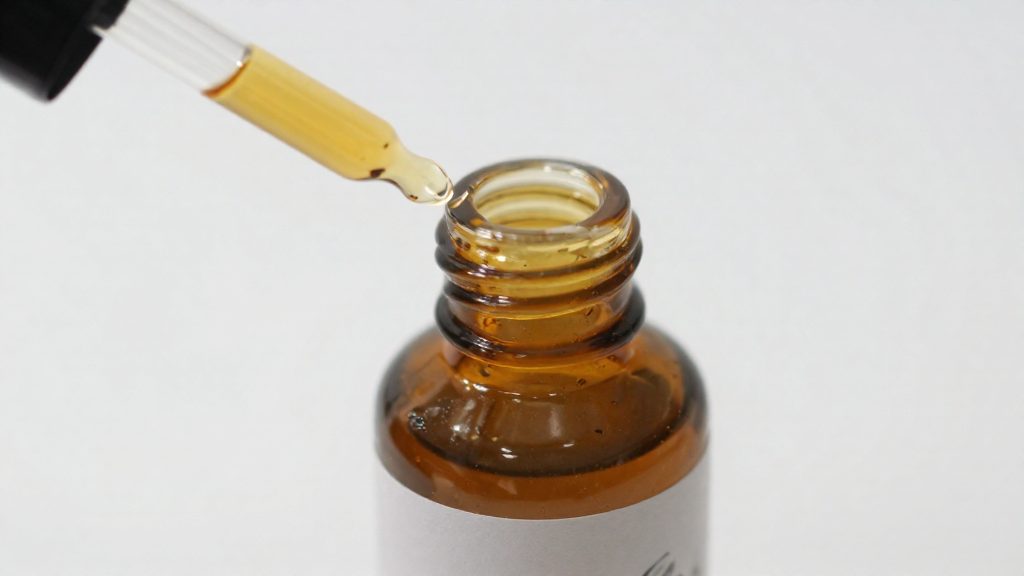
Visual comparison is the most practical method. Pour a small amount of the suspect resin into a clear container beside a sample of the same resin from a fresh, unopened cartridge, and check both under the same light. Look for differences in colour, clarity or cloudiness. A difference shows that the two samples are not identical, but the sources do not say what a given change means for ageing, so treat it as a reason for further checks, not as a verdict.
Odour is the weakest signal, and a normal or unusual smell neither confirms nor rules out ageing. Any odour check should happen in a ventilated space, because resin storage guidance calls for a well-ventilated area.
Safe handling during checks
Handle resin according to its SDS (safety data sheet), which is the document to consult for hazard details. For disposal, also follow your municipality’s rules for hazardous household waste.
What failed prints say about resin
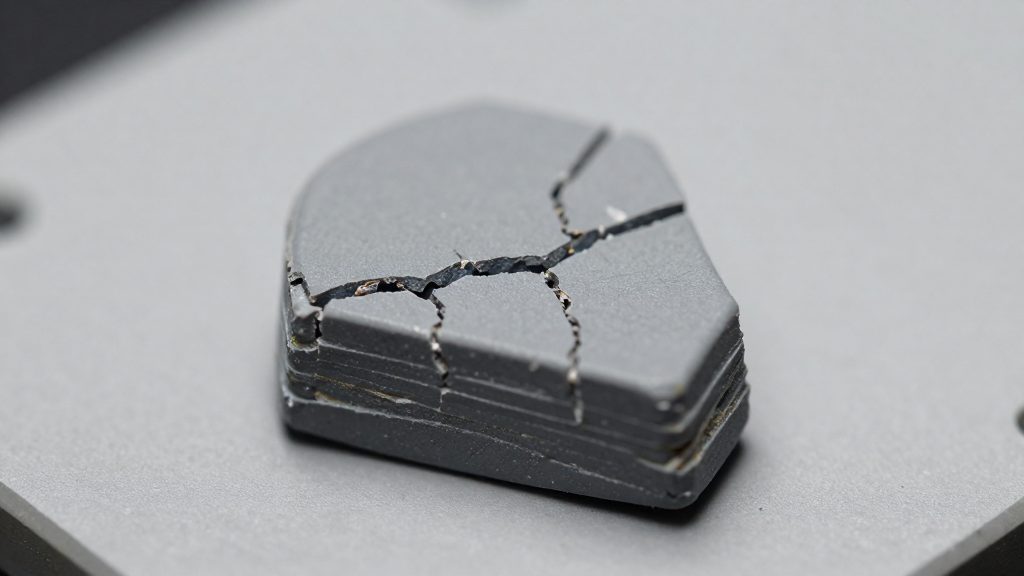
Brittle parts can be a symptom of a problem with the resin or the process. According to Formlabs (2024), printed parts that break or crumble under stress can be a symptom of expired or badly stored resin, but post-processing is another possible cause. A part that snaps in your hand does not tell you which one is responsible, so the diagnosis depends on checking both.
Brittle parts under stress
A part that cracks when flexed, or crumbles at a thin edge or small feature, has lost its toughness. Expired or poorly handled resin is one possibility. Post-processing is the other possible cause. Check it alongside the lot number, because the Formlabs source names both possibilities and does not rank them.
Start by checking the lot number, as described above. A date that is close to the limit does not prove the resin is bad.
Separating resin age from post-processing
Compare the failed parts before blaming the bottle. The pattern across a batch is more useful than any single print.
| Observation | Points toward |
|---|---|
| Parts from one cartridge crumble, even when they received identical washing and curing | May point to resin age or storage; confirm with a fresh-cartridge comparison |
| Only some parts break, and they differ in washing or curing time | Post-processing |
| Parts from older and newer cartridges behave differently | Resin age or storage |
Failed prints therefore work as diagnostic evidence. If a batch from a cartridge past its recommended lifetime is brittle, and a fresh cartridge run with the same post-processing is not, resin age or storage becomes a more plausible cause. This is your own comparison, not a method documented by Formlabs. If brittleness appears across fresh resin, check the washing and curing steps against your own process before replacing the material.
How do you test questionable resin?
The only checks the official sources document are the mixing steps, so these are the practical starting point when you suspect a resin.
Run the following steps before every print:
- Shake the cartridge before you pour the resin into the tank.
- Stir the resin in the tank before you start the print.
Both steps belong to the same preparation routine. They apply to fresh and older resin alike, so they do not tell you whether a resin has degraded. They do make sure the resin you print with is the resin you intended to print with.
Test methods the official sources do not specify
Treat failed prints as a signal to review the resin’s handling and age rather than as a formal test result.
Storing resin to extend shelf life
Storage is one factor you control over how long resin stays usable. Formlabs advises storing resin according to its safety data sheet (SDS), away from direct sunlight, in a dry, cool, well-ventilated area (Formlabs, 2024). These conditions apply to any resin, but the SDS for your specific product is the document to follow when it gives more detail.
Each condition addresses a different part of the storage space:
- Light: keep the resin away from direct sunlight.
- Moisture: choose a dry spot.
- Temperature: choose a cool spot.
- Air: choose a well-ventilated area.
Take any numeric temperature or humidity limits from the SDS rather than a general rule.
Using the safety data sheet for storage
The SDS is the manufacturer’s own storage reference, so it takes priority over general advice. Look for the storage section, which lists the conditions the manufacturer considers suitable for that formulation. Resins from different brands can carry different instructions, so check each product separately rather than applying one rule to every bottle or cartridge you own.
When to replace resin and dispose of it safely
Resin nearing the end of its recommended lifetime deserves closer attention, but the lifetime is a reference point rather than a replacement deadline. Age alone does not settle the decision: handling, use and storage history also matter.
Deciding between reuse and replacement
Start by checking the resin’s age against its recommended lifetime. If the resin is near or past that lifetime and prints begin to fail, replacement is the safer choice. If it is still within its lifetime, a sudden change in print results is a reason to stop and check storage, mixing and other print causes before deciding about the resin.
Disposal instructions
Disposal instructions are set out in the safety data sheet (SDS) for the specific resin you use, so read its disposal section before discarding leftover or uncured resin. Do not rely on general assumptions about which containers or methods apply, because the SDS is the authoritative reference for your product.
Safe handling of resin waste and cartridges
Handle old resin and empty cartridges according to the SDS for your resin, since it covers the material’s hazards and the steps to take with it. Keep resin waste separate from unused stock so that the age and condition of each cartridge stays clear when you decide what to reuse.
Frequently asked questions
Do I still need to shake or stir resin that is near its lifetime?
Yes. Formlabs (2024) advises shaking the cartridge and stirring the resin in the tank before printing. This is a handling step, so it does not show whether the resin is still photoreactive.
Where should I keep resin to slow its ageing?
Store it away from direct sunlight, in a dry, cool, well-ventilated area, following the SDS (safety data sheet) for your specific resin. Formlabs (2024) gives these conditions as the storage guidance.
What print problem can signal photoreactivity loss?
Formlabs (2024) links photoreactivity loss to prints that fail, which can happen as the resin approaches the end of its recommended lifetime. If prints fail, check the resin’s age and storage alongside other print causes before blaming the resin.