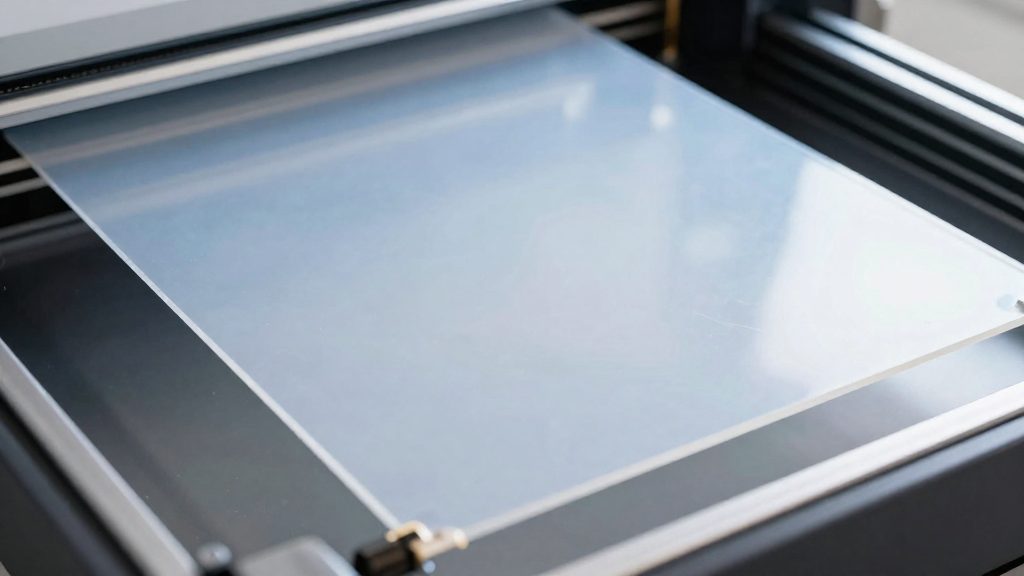
How often should you replace FEP film?
There is no universal replacement count for FEP film on a resin printer. Siraya Tech (2026) gives a general guideline of about 40 prints for standard FEP, but says the film’s condition matters more than the count. Anycubic (2026) gives no fixed print or layer interval at all, so the film’s physical state should decide when it is replaced.
| Source | Guideline | Key point |
|---|---|---|
| Siraya Tech (resin manufacturer, 2026) | About 40 prints for standard FEP | Condition matters more than count |
| Anycubic (printer manufacturer, 2026) | No fixed print or layer interval | Replacement is driven by film condition |
| 3Dprinterly (specialist publication, 2026) | About 20 prints for some users; at least 30 for careful users | Handling changes the outcome |
The 40-print figure is a starting point
Treat the roughly 40-print figure as a baseline for standard FEP, not a schedule. The 3Dprinterly figures show how wide the spread can be: some users lose a film after about 20 prints, while careful users get at least 30. That gap points to handling as a major variable, so the count alone does not tell you when a film has reached the end of its life.
Why condition overrides the count
Film wear depends on what happens to the film during each print, so two printers running the same number of prints can reach very different film states. This is why Siraya places its emphasis on film condition rather than the print total, and why Anycubic defines no fixed interval.
Inspection cadence
Siraya recommends checking the film every 10 to 15 prints. Make the check a routine step rather than an occasional one. The 3Dprinterly tap test gives a quick tension reading: it targets roughly 275–350 Hz, and about 500 Hz indicates the film is too tight. Film that has lost tension should be monitored at each check, as it may signal wear that is developing before the film needs replacing.
Signs your FEP film is worn out
Four types of visual damage mean the film should be replaced at once. Anycubic (2026) links the serious defects below to resin leakage.
- Punctures or holes: Any opening in the film means resin can escape from the vat. Punctures are the most direct sign of failure and need no further inspection before replacement.
- Cloudy or opaque spots: Patches that look milky and block light mean the film is damaged. Hold the vat up to a light source to see whether a patch blocks the view. Anycubic also lists a surface that is too cloudy as a cause of leakage.
- Deep scratches that catch a fingernail: Run a fingernail gently across the scratch. If the nail catches in the groove, the scratch is deep enough to require replacement. Scratches that the nail slides over are not in this category.
- Large dents that will not flatten: An indentation that stays in the film and does not flatten is a replacement trigger. Anycubic names deep indentations as a reason to replace the film.
Check the whole film surface, not only the centre, because damage can sit near the edges of the vat where the film is clamped. Besides the formal check every 10 to 15 prints that Siraya Tech recommends, glance over the film whenever you have the vat out, so that visible damage is caught before a print starts.
How to check FEP for holes and leaks
Punctures in a FEP film can be found with a simple check that needs only isopropyl alcohol and a paper towel. According to Siraya Tech (2026), the isopropyl alcohol test confirms whether the film has a hole. Because the test runs with the vat out of the printer, you can reach the underside of the film directly.
Running the isopropyl alcohol test
- Remove the resin vat from the printer and set it on a flat surface.
- Place a paper towel underneath the vat, so it sits directly beneath the film.
- Pour isopropyl alcohol into the vat.
- Wait briefly, then lift the paper towel and check it for moisture.
Reading the result
A wet paper towel confirms that the film is punctured, because the alcohol has passed through an opening in the film. If the towel stays dry, this test has found no puncture. Work on one vat at a time, and keep the towel in place until you have read it.
Checking the LCD after removing the vat
Resin residue on the LCD after you remove the vat is a second sign of a damaged film. Look at the screen before you start the alcohol test. If residue is present, run the isopropyl alcohol test next, so you can confirm or rule out a puncture before you print again.
What shortens FEP film life?
Three print conditions wear FEP film faster than normal use: large prints, heavy suction, and sharp or abrasive model geometry. According to Siraya Tech (2026), these conditions can wear standard FEP out after as few as about 10 prints. Siraya Tech reports that these conditions shorten film life compared with normal use.
Large prints and heavy suction
Large prints increase the suction load on the film because each layer covers a bigger area of the vat bottom. Heavy suction is a wear condition in its own right, so a film that handles small parts well may still fail early when used for large builds. Placement and support strategy also affect the load. 3Dprinterly recommends placing models toward the middle of the film and using rafts and supports.
Sharp and abrasive geometries
Models with sharp edges or abrasive surfaces can scratch the film during peel. Scratches accumulate on every used film, and shallow ones are normal. The condition that matters for wear is the deep damage that sharp or abrasive geometry produces over repeated prints, because it weakens the film faster than a smooth, rounded model would.
How can you make FEP film last longer?
The FEP film at the bottom of a resin vat is a consumable, and how you handle it between prints affects how many prints it survives. Siraya Tech states that gentle handling and regular cleaning can extend a standard film’s life past 40 prints. The habits below cover the two areas you control directly: how the film is touched and how the vat and build plate are maintained.
Handle the film gently
Most avoidable wear comes from physical contact with the film itself.
- Never scrape a failed print off the film with a tool. Clean the film with a microfiber cloth instead.
- Keep the tension correct, since a film that is too tight or too loose wears faster.
Keep the build plate and vat clean
3Dprinterly advises keeping the build plate level and free of cured resin to help the film last longer.
- Keep the build plate level at all times.
- Remove cured resin from the build plate before starting a new print.
- Check the surface during routine maintenance, so that residue is removed before it builds up on the film.
Wear caused by heavy loads, large prints or abrasive models is a separate factor that shortens film life, and it is covered in its own section.
FEP vs nFEP: does the film type matter?
Yes, the film type affects lifespan. According to Siraya Tech (2026), nFEP typically lasts significantly longer than standard FEP, so the two films should not be treated as interchangeable when you plan replacements.
The practical consequence is that a printer running nFEP will generally need its film replaced less often than one running standard FEP under similar use. Because the lifespan of each film type differs, you should confirm which one you are buying before ordering a replacement. Check the product listing or packaging for the film designation, and match the replacement to the film you already have installed so your expectations for service life stay accurate.
Film type is only one variable. Print size, suction forces, and the geometry of your models also determine how quickly a film wears, and these factors apply to both standard FEP and nFEP. Treat the film type as the baseline for expected lifespan, then adjust your expectations based on how you use the printer.
When is it safe to keep printing on a scratched film?
Light scratches are normal wear on a resin vat film. According to Anycubic (2026), all used films show scratches, and shallow ones are acceptable. The practical question is whether a mark is a shallow surface mark that you can monitor, or a defect that stops the film from holding resin. A film with only surface marks and a little looseness can keep printing while you watch it.
Siraya Tech (2026) states that light scratches and slight tension loss only need monitoring. Tension loss means the film has become a little slack compared with a new one, but it still holds the resin in the vat. A small amount of slack alone is not a reason to swap the film.
To monitor slight tension loss, use the tap test described by 3Dprinterly (2026):
- Repeat the check at the interval Siraya Tech recommends, which is every 10–15 prints.
To stop shallow marks from spreading, follow the handling habits 3Dprinterly lists:
- Clean the film with a microfiber cloth.
- Keep the build plate level and free of cured resin.
- Place models toward the middle of the film rather than at the edges.
Once a scratch looks deeper, or the surface turns cloudy, the film is past the monitoring stage and should be replaced.