Prusa describes its smooth PEI spring-steel sheet as ideal for PLA, including prints with sharp corners or a small first-layer contact area. The removable spring-steel sheet sits on a magnetic heatbed. This is a manufacturer recommendation, not a universal ranking: the evidence reviewed here does not establish one magnetic build plate as the universal best for PLA.
Which Magnetic Build Plate Is Best for PLA?
Prusa’s recommendation points to the smooth side because sharp corners and a small first-layer contact area are the cases where a part has the least contact with the plate, and Prusa names this sheet for exactly those prints.
Smooth or Textured PEI for PLA?
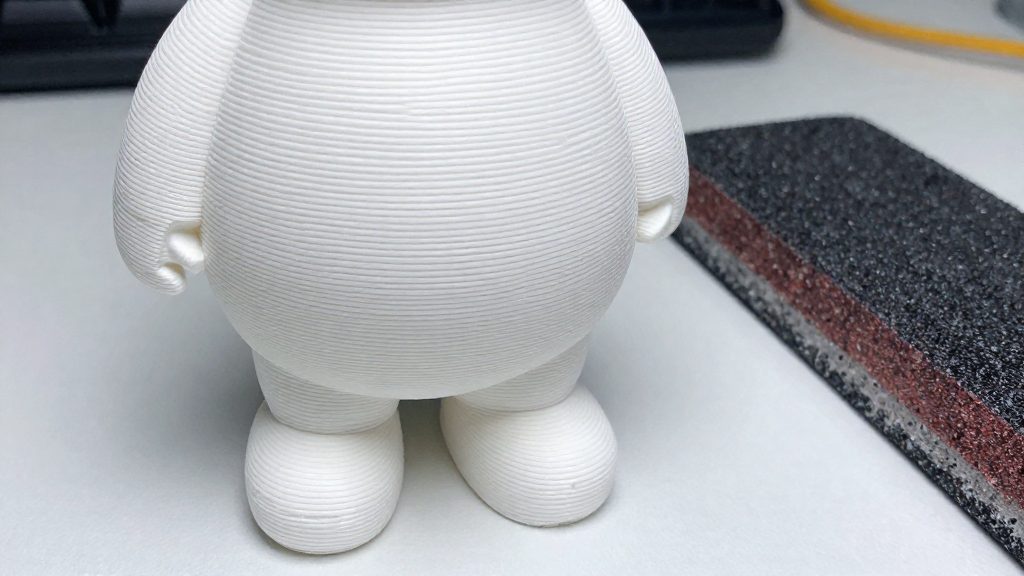
The two PEI finishes on a magnetic build plate leave different marks on the underside of a print, and that difference is the main reason to pick one over the other for PLA. Per 3DMaker Engineering’s build-plate guide (2019), a smooth PEI surface produces a glass-like bottom finish, while a textured PEI surface leaves a textured underside. Smooth PEI uses an adhesive film, while textured powder-coated PEI has a coating applied directly to the steel. The choice affects adhesion and first-layer setup as well as appearance; Prusa notes that small PLA prints on its textured sheet may require a brim.
Glass-like bottom finish from smooth PEI
Smooth PEI transfers its flat surface to the first layer, so the bottom of the print looks glossy and even. This suits parts where the underside is visible or where a clean base matters, such as display pieces or flat-faced enclosures.
Textured underside from textured PEI
Textured PEI imprints a pattern onto the first layer, so the underside of the print is no longer flat and glossy. This can help hide minor first-layer imperfections, and it gives a grippy, matte base. If underside appearance does not matter, choose according to adhesion needs: Prusa recommends its smooth sheet for PLA prints with sharp corners or a small first-layer contact area, while small PLA prints on its textured sheet may require a brim.
Choosing a finish by visible underside appearance
| Visible underside | Finish to choose |
|---|---|
| Glossy, flat base | Smooth PEI |
| Textured, matte base | Textured PEI |
Magnetic Build Plate Options by Printer
A magnetic build plate system is a removable steel sheet held on a heated bed by magnets, so that the print can be lifted off without scraping. The fit depends on the bed mount: the Prusa magnetic heatbed is designed for its own removable spring-steel sheet, while Wham Bam offers an adhesive-backed magnetic base that can be applied to a bed that lacks one.
Prusa Magnetic Heatbed
The Prusa magnetic heatbed holds a removable spring-steel sheet in place with magnets. Prusa’s smooth sheet carries PEI film on both sides, so either side can be used for printing. Prusa identifies this smooth PEI steel sheet as ideal for PLA, including prints with sharp corners or a small first-layer contact area.
Wham Bam Adhesive-Backed Magnetic Base
Wham Bam’s Flexible Build System kit includes a spring-steel Flexi Plate, an adhesive-backed build surface, and an adhesive-backed magnetic base. The magnetic base is the component that attaches to the printer’s heated bed, and the Flexi Plate sits on top of it.
When to Consider Wham Bam PEX
Wham Bam PEX suits you when you want a complete flexible-plate system instead of a standalone smooth PEI sheet. If you want the surface and its carrier supplied together, the kit fits that need directly.
Kit components that favour PEX
- Flexi Plate: a spring-steel plate included in the kit.
- Adhesive-backed build surface: supplied with the kit, so you do not need to source a separate PEX sheet.
- Adhesive-backed magnetic base: the third kit component, which completes the flexible system.
PEX as an alternative to smooth PEI
Smooth PEI is the surface with a documented Prusa recommendation for PLA, and PEX is the alternative to evaluate against it. The available material does not describe the underside finish of Wham Bam’s PEX surface or compare its adhesion with smooth PEI, so check Wham Bam’s product documentation before deciding on that basis.
Check Plate Fit Before Buying
Before buying a replacement magnetic plate, confirm that it is listed for your printer’s heatbed model. On Prusa printers, the removable spring-steel sheet is held by a magnetic heatbed, so the sheet and the bed must match the same printer. Find your exact model name and bed type in the manufacturer’s documentation, then check that the seller’s listing names that model.
Check these points in order:
- Printer model: Match the plate to the exact model, not just the brand.
- Heatbed type: Confirm the plate is designed for your printer’s magnetic heatbed.
- Magnetic base: If the plate needs a separate base, confirm that base is designed for your bed.
- Bed-leveling system: Identify it before purchase.
For magnetic base compatibility, the Wham Bam base is adhesive-backed, so it is bonded to the heated bed rather than clipped on (Wham Bam Systems). Check its listed dimensions against your bed before ordering.
For PINDA bed leveling, check your printer’s documentation to see whether it uses this system. Prusa uses PINDA bed leveling on some printers, and on those printers the sheet type you choose affects the bed-leveling setup (Prusa Research). Identify this before buying, not after the plate arrives.
Wham Bam PLA Starting Temperatures and First-Layer Checks
Wham Bam’s instructions for its Flexible Build System give starting temperatures for PLA on each of its two bed surfaces, plus a hot end range. Set these values before the first layer, and check the first layer before committing to a full print.
| Setting | Wham Bam value for PLA |
|---|---|
| Bed, PEX surface | 70°C |
| Bed, PEI surface | 60°C |
| Hot end | 190–210°C |
These values come from Wham Bam Systems’ instructions for its own kit. Other magnetic plates may need different settings, so check the manufacturer’s instructions for your plate.
For the first layer, set the bed and hot end to the values above, let the bed reach temperature, then start the print. Watch the first layer as it goes down, looking for gaps between lines or lines that lift at the edges.
Cleaning and Removing PLA Prints
Removing a PLA print from a magnetic build plate is easiest once the plate and the part have cooled completely. Wham Bam instructs users to let the plate and printed parts cool completely before bending the plate to release prints. Cleaning comes before the next print, and it matters as much as the release step, because contamination on the surface reduces adhesion on the next job.
Cleaning a PEI Sheet
Prusa recommends cleaning its smooth PEI sheet when cold, using approximately 90% isopropyl alcohol or denatured alcohol. Clean the sheet while it is at room temperature rather than warm, since the guidance specifies cold cleaning.
Grease is the main enemy of adhesion. Prusa notes that grease substantially reduces adhesion on the smooth PEI surface, so avoid touching the print area with bare fingers and wipe off any oily residue before the next job.
Releasing the Print
Releasing by bending works with spring-steel sheets. Wham Bam’s Flexi Plate is a spring-steel sheet, and the Flexible Build System uses bending to separate prints once everything has cooled. Flex the sheet gently until the print lifts from the surface, rather than prying the part with a blade while it is still warm.